
A dishwasher that won’t start may only need 5 seconds without power.
That’s the reset a Bosch support page gives for a machine that has power but won’t run.
In fact, a GE Appliances support article says simple checks like these often get a dishwasher running again without a repair service call.
So good dishwasher troubleshooting starts with the cheap stuff.
Below are 8 checks in the order I’d run them, from free settings to the point where a technician should take over.
Best for: a dishwasher that won’t start, won’t drain, won’t fill or quits partway through. Skip it if you see water near wiring or smell burning; cut the power and call for service.
Cost: Free for every check except a service visit.
Time: Same day.
First step: Open the door, close it again and note whether any lights come on.
How to Troubleshoot a Dishwasher Step by Step
To troubleshoot a dishwasher, start with the control panel, the power and the door latch. Then check settings such as Control Lock, reset it, clean the filter and pump, and check the water supply and float.
Go in order, because the early steps take seconds.
If you own a Whirlpool, a full Whirlpool dishwasher troubleshooting guide covers that brand in more depth.
Step 1: Read What the Control Panel Is Telling You
The control panel splits dishwasher problems into two groups.
If the display lights up and the buttons beep, GE says the power source is fine. So the problem lives in the door or the settings.
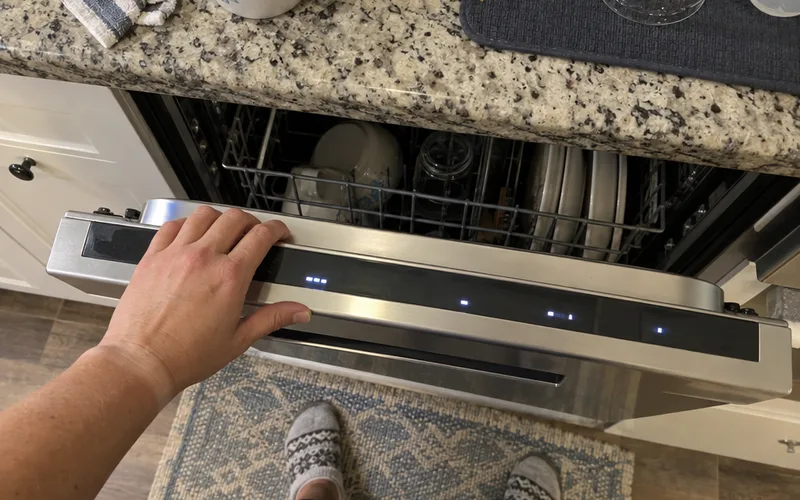
That sends you straight to Steps 3 and 4, while a dark panel sends you to Step 2 first.
But a dark panel isn’t always a power failure, as Step 4 explains.
Two other clues point elsewhere:
- Standing water in the bottom of the tub points to Step 6.
- A hum with no splashing points to Step 8.
In other words, watch it for 30 seconds before you touch a tool.
Step 2: Check the Plug, Outlet and Circuit Breaker
When nothing lights up, start where the dishwasher gets its power.
The Bosch page lists 3 checks for a unit with no power:
- Make sure the power cord is firmly connected at the dishwasher and at the outlet.
- Plug a lamp or a phone charger into the same outlet and see if it works.
- Look at your home’s electrical panel for a tripped circuit breaker or a blown fuse.
If the lamp stays dark too, the problem is probably the outlet or your home’s wiring, which is a job for an electrician.
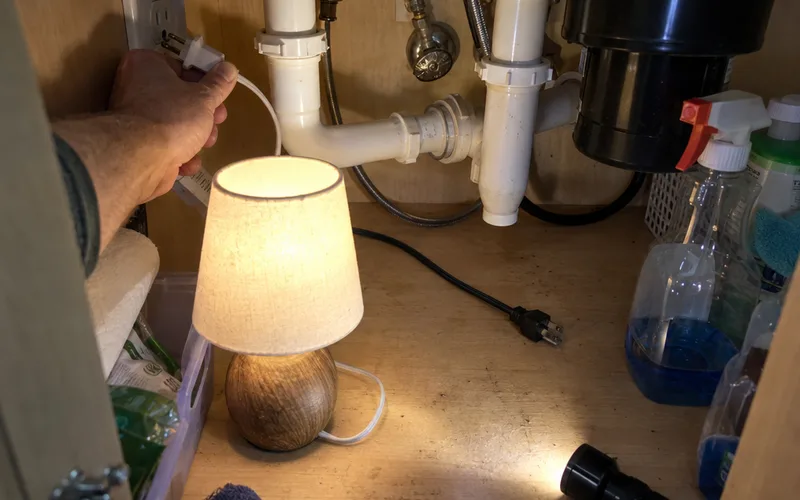
If the outlet is a GFCI outlet, the kind with Test and Reset buttons, press Reset before you test it.
A wired-in dishwasher with no plug leaves the breaker as your only check.
If the breaker is on and the outlet works, the power side is fine.
Step 3: Close the Door Until the Latch Catches
A dishwasher won’t start with the door even slightly open, because its safety mechanisms stop it, as the Bosch page notes.
The latch has to engage fully before the door switch tells the control that it’s safe to run.
GE says trim, insulation, the cabinet or the countertop can all keep the door from closing securely.
Clear these, then close the door firmly until the latch catches:
- A rack, pan handle or utensil sticking out past the front of the racks
- A dish leaning against the inside of the door
- Cabinet trim or a countertop edge rubbing the top of the door
Note: A broken latch needs a professional, because the same support page says it should be replaced by one for safety reasons.
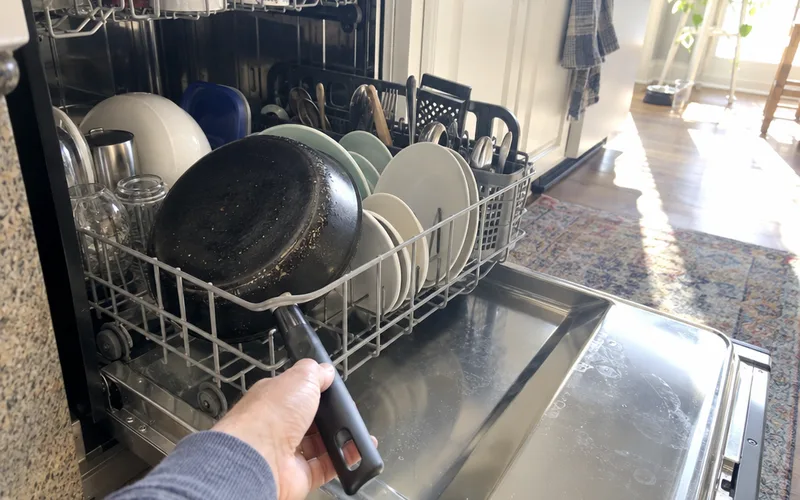
If the door closes cleanly and the dishwasher still won’t start, suspect the latch itself.
Step 4: Turn Off Control Lock, Delay Start and Other Modes
A setting can stop a dishwasher just as well as a broken part.
GE says most dishwashers with electronic controls have a child lock-out feature, usually called Control Lock, that keeps the machine from starting by accident.
Check for these settings, using your owner’s manual for the exact buttons:
- Control Lock: Look for a lock icon or a lit lock light, then turn it off the way your manual shows.
- Delay Start: GE says the display shows the hours left before washing starts, such as 2H or 4H.
- Demo Mode: Some models have one, and GE says to make sure the dishwasher isn’t in it.
- Leak Protection: On some models with an LCD display, this feature can stop the dishwasher from running.
- Sleep or Sabbath Mode: These turn off all lights and sounds even with power connected.
That last one is sneaky.
A dark panel in Sleep or Sabbath Mode looks exactly like a dead outlet, which is why Step 2 can come back clean.
If you can’t tell which icon is the lock, a guide to dishwasher symbols helps you read the panel.
Whirlpool owners can also follow a brand walkthrough for a Whirlpool that won’t start even though it has power.
Step 5: Reset the Dishwasher by Cutting the Power
To reset a dishwasher, cut its power for at least 5 seconds, then reconnect it and start a new cycle.
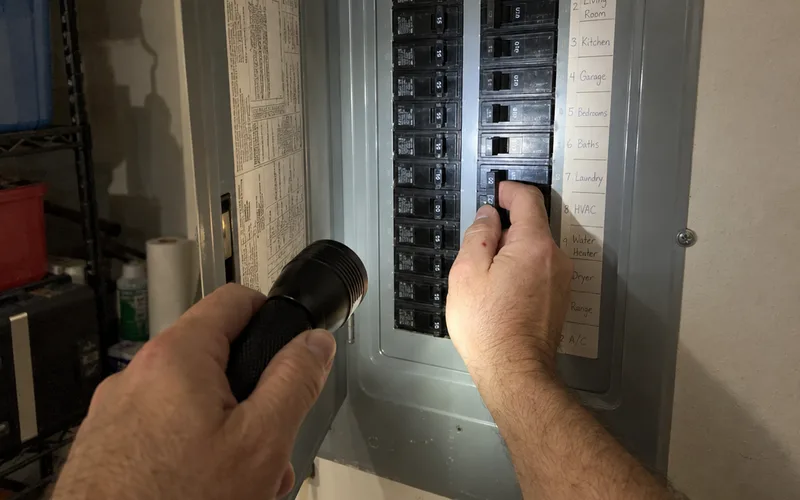
Here’s how to do it:
- Unplug the dishwasher, or switch off its circuit breaker if it’s wired in.
- Wait at least 5 seconds.
- Restore the power, close the door firmly and choose a new cycle.
- Press Start.
A reset can clear a minor glitch that freezes the display.
If that doesn’t work, try a longer one. For a dishwasher that won’t stop running, the same page says to leave the power off for a few minutes.
Step 6: Clean the Filter and Pump Area When Water Stays Behind
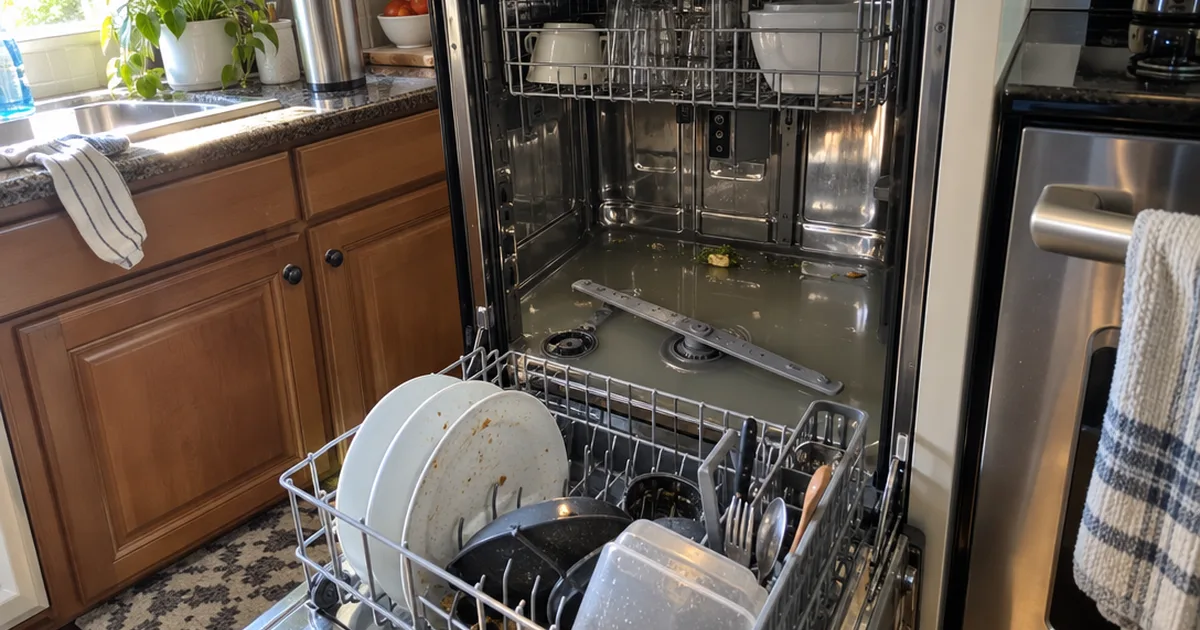
Standing water in the bottom of the tub means the dishwasher isn’t pumping water out.
The most common reason a dishwasher stops draining is food debris clogged in the filter or the water pump, according to Bosch.
Turn off the power first, then pull out the bottom rack.
Take out the filter as your manual shows and rinse off the food and debris. Then check the pump area under it for anything stuck there.
While you’re down there, look at the float switch, the small float in the tub that tracks the water level.
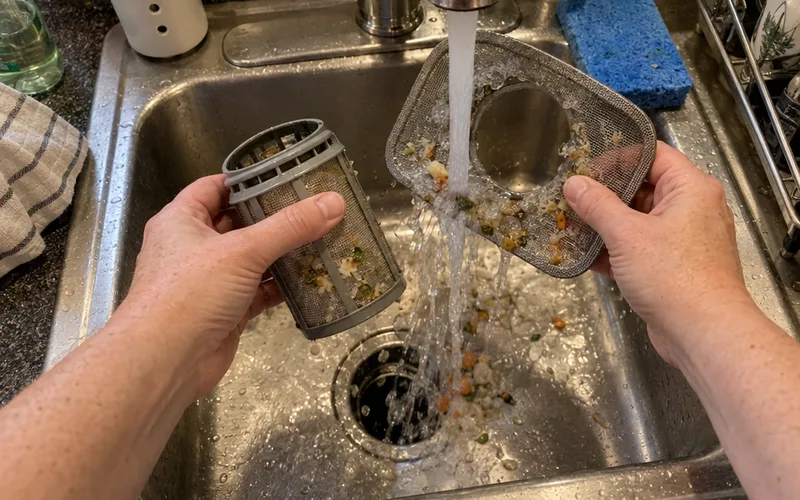
Bosch says this switch controls the water level and can affect draining if it sticks, so clean around it and make sure it moves freely.
If the filter and float are clean but water still sits in the tub, look farther down, at the drain hose and the sink plumbing.
A full dishwasher not draining walkthrough picks up from here, and you can often clean the drain hose without pulling the machine out.
If your dishwasher drains through the sink’s disposal, a garbage disposal that isn’t working is worth ruling out too.
Each brand guide picks up where this step stops:
- GE dishwasher not draining
- Whirlpool dishwasher not draining
- Bosch dishwasher with no blockage
- Frigidaire dishwasher not draining
- Samsung dishwasher not draining
Step 7: Check the Water Supply and Float When It Won’t Fill
A dishwasher that runs but never fills has a problem on the water side.
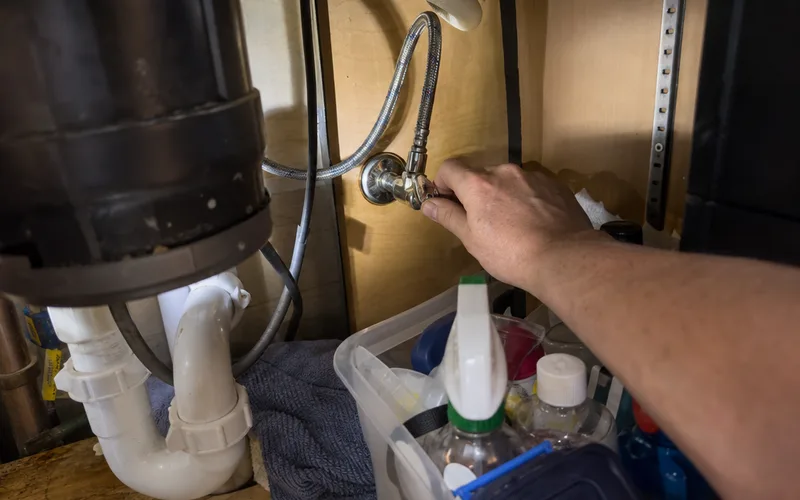
Bosch lists the usual causes as a water supply problem, a faulty water inlet valve, a malfunctioning float or a door switch that isn’t working.
Work through them from the outside in:
- Open the cabinet below the sink faucet and make sure the valve feeding the dishwasher is fully open.
- Go back to Step 3 and make sure the door latches, because a door switch that doesn’t register keeps the water off.
- Check that nothing is holding the float up in the tub, since a raised float tells the machine it’s already full.
If those three are fine, suspect the water inlet valve, the part that opens to let water in.
GE adds one more case: on many of its models, only a service technician can tell whether the flood float is stuck and needs repair.
Step 8: Fix a Dishwasher That Hums but Won’t Run
A steady humming noise with no splashing means the dishwasher is trying to run, but something isn’t moving.
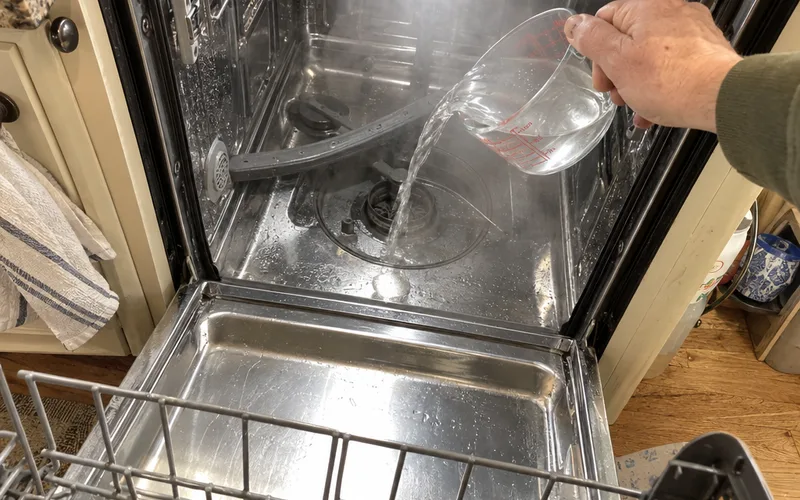
GE gives a simple first fix for its models whose numbers start with GDF, GDT, PDT, CDT, DDT, ADT or ZDT:
- Pour 1 pint of hot tap water into the bottom of the tub.
- Press Start.
- Let the dishwasher run for 5 minutes.
Your model number tells you whether this fix applies, so find it before you pour.
On other models, a hum that keeps coming back is a job for your manual or a technician.
Why Your Dishwasher Stops Mid-Cycle
A dishwasher usually stops mid-cycle because it thinks the door opened or it lost power or water. Bosch adds two causes that are easy to miss: a clogged vent and dishes pressing on the door.
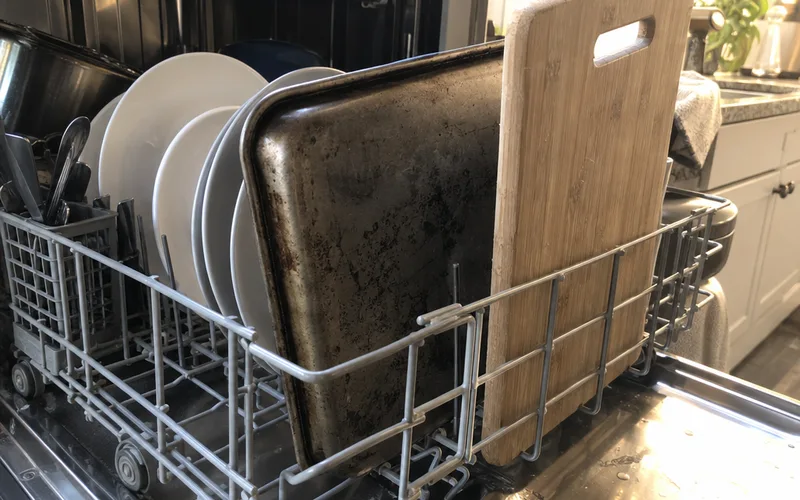
Work through the 5 checks on the Bosch list:
- Make sure the door latches completely, and check that nothing presses on the rear panel, such as a hose holder.
- Confirm the dishwasher is plugged in, the breaker hasn’t tripped and the water supply valve is fully open.
- Inspect the latch for wear, and remember that a machine that isn’t level can affect how the latch works.
- Check the vent, because a clogged vent can build up steam pressure that pops the door open.
- Load the racks so no dishes push against the door.
The vent and the rear panel are easy to overlook, because you can’t see either one from the front of the machine.
Why Your Dishwasher Smells Bad
A smelly dishwasher is usually holding food particles and debris in its filter and spray arms, according to Bosch.
So the fix starts with the same filter cleaning as Step 6.
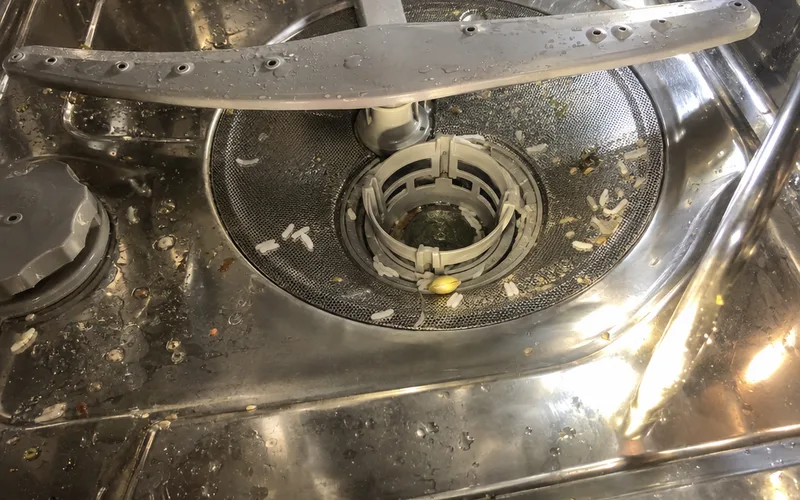
After that, a deeper vinegar and baking soda clean handles the rest of the tub.
When the Buttons or Display Won’t Respond
Dishwasher buttons that won’t respond are usually locked by Control Lock, disabled by an unlatched door or frozen until a reset. Bosch adds a fourth cause: dirt and debris built up under the buttons.
Start with the lock and the door from Steps 3 and 4.
Then clean around and under the buttons where you can reach, then try a reset from Step 5.
When a Bosch Door Won’t Open Itself After a Cycle
A Bosch dishwasher whose AutoAir door won’t open after a cycle usually has an installation problem. Every fix Bosch lists concerns how the machine sits: level, clearance, screws, sticky seals and pitch.
AutoAir is the Bosch feature that opens the door by itself at the end of a cycle.
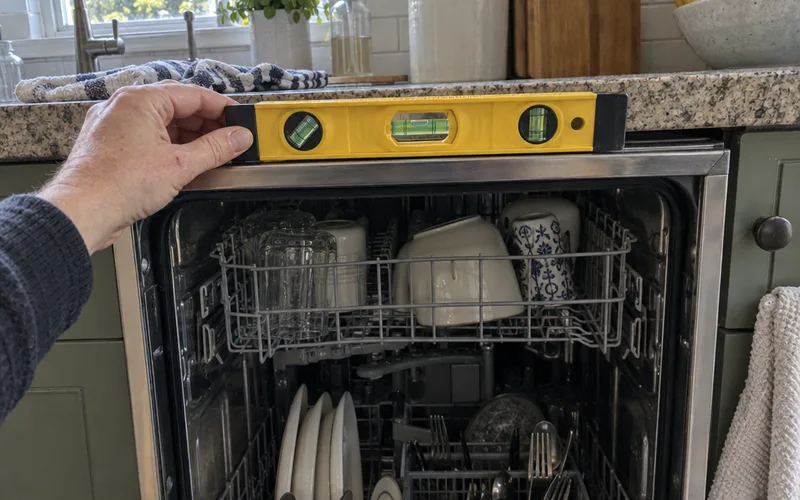
Work through these 5 checks:
- Make sure the dishwasher is installed level, because an unlevel machine can keep AutoAir from working.
- Check that cabinets and countertops leave the door room to open.
- Look for cabinet screws or hardware touching the door.
- Clean the door seals, the rubber gasket, with a mild cleaner and add a dab of lubricant if they feel sticky.
- Adjust the pitch so the dishwasher leans slightly forward.
Most of these need only a level and a screwdriver.
Leaks, Dirty Dishes and Wet Dishes
Dishwasher leaks, dirty dishes and wet dishes have model-specific fixes, so start with the troubleshooting chart in your owner’s manual. For a leak, stop the cycle and cut the power first.
Then wipe the floor dry to limit water damage and to see where fresh water appears.
For spots, film or food left behind, the dishwasher detergent you use and whether you have hard water are worth a look.
And if a leak comes back after you’ve cleaned the filter and checked the door gasket, that’s a technician visit, not a DIY project.
When to Stop and Call a Technician
Call a dishwasher technician for a broken door latch, buttons that stay dead after every check, or a dishwasher that won’t stop running after a reset. Bosch ties each of those to a part that needs professional repair.
Here’s what each one points to:
- A broken door latch: Step 3 covers why this one belongs with a professional.
- Dead buttons after every check: Bosch says that can point to a faulty main control board or touchpad.
- Nonstop running: If a reset and a clean filter don’t help, Bosch points to a bad timer or a clogged inlet valve.
Before you call, write down your model number and exactly what the machine does, so the technician arrives with the right part.
For a Bosch, the company’s support line is 1-800-944-2904.
And if the repair quote makes you wonder about a new machine, check the typical dishwasher replacement cost before you say yes.
What You Need to Troubleshoot a Dishwasher
To troubleshoot a dishwasher, you need a flashlight, your owner’s manual and a lamp or phone charger to test the outlet. Add old towels and a shallow pan for any standing water.
The manual matters, because GE says the steps for a setting such as Control Lock vary by model.
Lay the towels down before you open the filter area, since any standing water comes out with it.
If you own a GE model that hums, add a measuring cup that holds 1 pint for the fix in Step 8.
Checking the simple things first works for your other major kitchen appliances too.
Frequently Asked Questions
Why is my dishwasher not working even though it has power?
A dishwasher that lights up but won’t start is usually held back by the door latch or a setting such as Control Lock, Delay Start, Demo Mode or Leak Protection, according to GE Appliances. Latch the door, turn those settings off, then cut the power for at least 5 seconds and try again.
Why won't my dishwasher turn on at all?
A dishwasher with no lights or sounds usually has a power problem: a loose cord, a dead outlet, a tripped circuit breaker or a blown fuse, the checks Bosch lists. If those are fine, check for Sleep or Sabbath Mode, which GE Appliances says turns off every light and sound with power connected.
Where is the reset button on a dishwasher?
The reset that works on almost any dishwasher is a power cycle, not a button: switch off the power at the plug or breaker for at least 5 seconds, then turn it back on and start a new cycle. Any button-based reset your model has is listed in its owner’s manual.
Why is my dishwasher humming?
For a GE dishwasher that hums but won’t run, GE Appliances says to pour 1 pint of hot tap water into the bottom, press Start and let it run for 5 minutes, on models whose numbers start with GDF, GDT, PDT, CDT, DDT, ADT or ZDT. For other models, check the owner’s manual or book a technician.
What is the most common reason a dishwasher stops draining?
Food debris clogging the filter or the water pump is the most common reason a dishwasher stops draining, according to Bosch. Clean the filter and the pump area first, then move on to the drain hose and sink if water still sits in the tub.
Final Thoughts
Most dishwasher trouble starts with something you can check for free: power, the door latch or a setting left on.
Work through the 8 steps in order, and book a technician if you reach a broken latch, a dead control panel or a stuck flood float.
Start today with the easiest check: look at the panel and note whether it lights up.